

Last Updated: October 30, 2026
Quick Summary
A freezer inventory app can work without labels by logging items through a name, photo, or quick voice note instead of a scannable code. You add a quantity, freeze date, and storage location, then search using your own words later. This label-free approach keeps entry fast enough to actually maintain.
- Use short names like chili rather than long descriptions to keep entry fast.
- Log the freeze date, not a guess at the expiry date.
- Name storage spots the way you'd describe them to a family member.
- Sort by oldest first when planning meals to cut waste.
- Check that an app works offline before committing, since freezers often sit in garages or basements.
Table of Contents
- Why a Freezer Inventory App Without Labels Makes Sense
- How Label-Free Entry Works in a Freezer Inventory App
- Freezer Inventory Spreadsheet vs an App: What Actually Holds Up
- Using a Food Expiration Date Tracker to Stop Waste
- When You Need an Offline Food Inventory App
- Handling Homemade, Bulk, and Repackaged Food Without Labels
- Shared Households, Backups, and Keeping Your Data Portable
- Start Your Freezer Inventory in Rivet QR for Free
- Frequently Asked Questions
Why a Freezer Inventory App Without Labels Makes Sense
Most freezer inventory advice starts with a label maker. Print a sticker, slap it on the container, scan the sticker later. Sounds tidy. It also falls apart the moment you freeze a batch of soup in a repurposed yogurt tub.
A freezer inventory app without labels solves the actual problem: you don't want to label everything, you want to know what's in the freezer. That's the distinction most guides skip. A freezer is one of the least label-friendly storage spaces in the house. Containers get swapped, bags get reused, and handwriting smears under frost.
Here's what most guides get wrong. They treat labeling as a required first step. It isn't. You can log an item by name, photo, or a quick voice note and skip the printer entirely. Below, we'll show you exactly how label-free entry works, where a spreadsheet beats an app, and how to handle the homemade and repackaged food that never had a barcode to begin with.
How Label-Free Entry Works in a Freezer Inventory App
Label-free entry means logging food by description instead of a scannable code. You type or say what the item is, add a quantity and a date, and pick a storage spot. No sticker, no scan, no barcode.
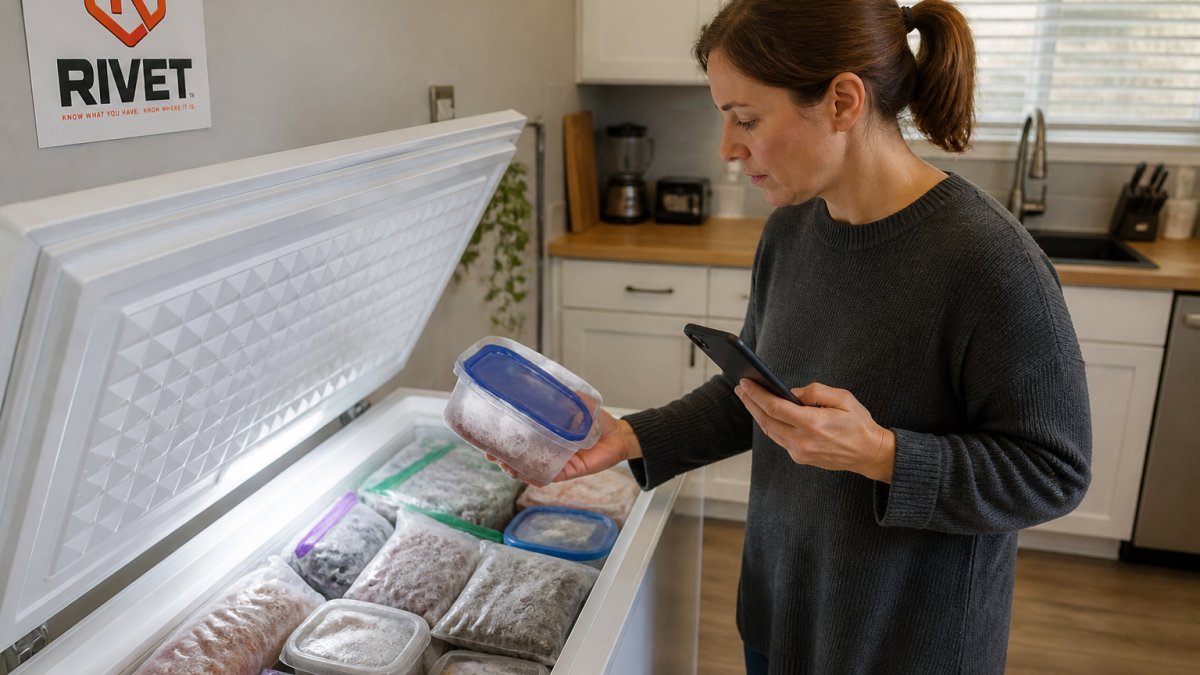
The workflow is short by design. Long setup is why most food tracking attempts die in week two.
Quick Entry Without Typing Every Detail
Speed is the whole game here. If adding an item takes more than a few seconds, you won't do it while your hands are cold.
A few habits that keep entry fast:
- Use short names: "chili," not "homemade beef chili with beans, batch 2"
- Snap a photo instead of writing a description
- Search by your own words later, so "the red container" still finds it
- Skip brand and weight fields unless they matter to you
The test is simple. Stand at the freezer, door open, and time yourself. If you can't log an item before the cold air wins, the process needs to be simpler.
Recording Quantities, Dates, and Storage Locations
Three fields do the real work: how much, when it went in, and where it lives.
For quantities, pick one unit and stick to it. "Two portions" beats a mix of cups, bags, and handfuls. For dates, log the freeze date, not a guess at the expiry. For location, name the spot the way you'd describe it to a family member: "chest freezer, bottom basket, left." A storage location that matches how you actually talk is the one you'll remember.
Watch out: logging a vague location like "freezer" defeats the point. You'll know the chili exists and still dig through three drawers looking for it.
Freezer Inventory Spreadsheet vs an App: What Actually Holds Up
A spreadsheet wins on familiarity and costs nothing to start. An app wins once more than one person needs access, or once you want photos and search that isn't a manual scroll. But the real test for a label-free freezer is not the feature list, it's how fast you can add, find, and remove an unlabeled container when your hands are cold and the door is open.
Here's a side-by-side of the same label-free workflow in both tools, based on common patterns rather than any single app's marketing claims:
| Task | Spreadsheet | Freezer Inventory App |
|---|---|---|
| Adding an unlabeled item fast | Open file, find an empty row, type name, quantity, date, location | Quick-entry screen or photo; some apps allow voice input |
| Finding an item by description | Ctrl+F for exact wording; misspellings fail | Search that tolerates your own words and partial matches |
| Attaching a photo of the container | Awkward, separate folder or embedded image | Photo attached to the item record |
| Shared household use | Email a file back and forth; version conflicts | Live shared inventory with sync |
| Keeping locations current | Manual edits, easy to forget | Update in a few taps |
| Offline access | Works if saved locally | Depends on the app; check before committing |
| Handling homemade and repackaged food | Free-text entry works, but no structure for portions | Templates or reusable item names speed repeat batches |
Spreadsheets break down in one specific way. They reward the person who set them up and punish everyone else. If your partner won't open the file, the inventory is already stale. A shared app inventory fixes that, but only if everyone can add an item in seconds, which is why label-free entry matters more than any other feature.
A practical test: pick one unlabeled container from your freezer and time how long it takes to log it in each tool. Then time how long it takes to find it again a week later using only your own description. Most people find the spreadsheet is faster to set up but slower to use, while an app is the reverse, and the app wins once more than one person is involved.
If you're weighing the two directly, we lay out the trade-offs in our comparison of RIVET vs spreadsheets for home inventory.
Using a Food Expiration Date Tracker to Stop Waste
A food expiration date tracker is a feature that flags items before they go bad, so you eat them instead of tossing them. In a freezer, that means a reminder date, not a hard expiry. Frozen food doesn't spoil on a fixed clock, but quality drops, and the label-free angle changes how you set those dates.
When you log an unlabeled container, you often don't know the exact freeze date. That's fine. The tracker works on relative age, not absolute dates. Set a reminder based on when you think you froze it, or use a simple rule: most home-frozen cooked food is best within three to six months, while raw meat and produce vary.
Practical ways to make reminders work in a label-free system:
- Set reminders a week before you'd realistically use the item, not on the day it becomes marginal
- Sort by oldest first when planning meals, this is the single most effective waste-reduction habit
- Clear the reminder the moment you remove the item, so the list stays trustworthy
- Batch-cook around what's closest to its date, turning a reminder into a meal plan
- For unlabeled containers where you're unsure of the date, log a conservative estimate and note it as approximate
A common pattern is that people who track expiration dates without labels rely more on the "oldest first" view than on exact dates.
This is where food waste and money connect. The item you forgot is the one you buy again.
When You Need an Offline Food Inventory App
An offline food inventory app keeps working when there's no signal. That matters more than people expect, because freezers live in garages, basements, and cabins where Wi-Fi is patchy.
Think about where you actually stand when you log food. A chest freezer in a detached garage. A camp fridge in an RV. A basement chest freezer behind the furnace. If the app needs a strong connection to save an entry, you'll skip the entry.
Before you commit to any app, check three things:
- Can you add and edit items without a connection?
- Does it sync once you're back online?
- Can you export your data if you switch phones?
That last point matters more than most reviews admit.
Handling Homemade, Bulk, and Repackaged Food Without Labels
This is the category that breaks barcode-first apps. Soup, chili, stock, garden produce, a half-used bag of frozen peas moved into a smaller container. None of it has a barcode, and none of it ever will.
A workable routine for the tricky stuff:
- Label the batch in the app the day you freeze it, not later
- Photograph the container so you recognize it in a crowded drawer
- Note portions, since "one bag of stock" tells you nothing
- For bulk buys, split into portions and log each one
If you do want a scannable code on a bin or container, you have options beyond a dedicated label printer. You can print your own QR labels or choose ready-made labels.
Shared Households, Backups, and Keeping Your Data Portable
Two questions decide whether an inventory survives: can everyone use it, and can you get your data out? If you get stuck along the way, RIVET Support can help you through the core workflow.
Start Your Freezer Inventory in Rivet QR for Free
The best freezer inventory is the one you'll actually keep updated. That usually means less setup, not more.
Rivet QR is a free home inventory app with no subscription. You can start without labels, log freezer items by name or photo, and search using your own words. Optional QR labels are there if you want them for bins and storage.
The challenge is simple: pick one freezer drawer this week and log what's in it. Then see how fast you can find something you'd otherwise have forgotten.
Get started with Rivet QR and know what you have and where it's stored. Start free on the Rivet QR home page.
Frequently Asked Questions
Can I track freezer food in an app without using labels?
Yes. A freezer inventory app without labels relies on manual entry and search rather than barcode or label scanning. You type or dictate an item name, add a quantity and storage location, and set a reminder date. You can then search for the item by name later. The trade-off is that each item needs a few seconds of input when it goes in, but you avoid buying label stock and printing stickers for every container.
Can I search freezer items by name without scanning a QR code?
Search by name is the core of a label-free workflow. Instead of scanning a code on the container, you open the app and type what you are looking for, such as chili or chicken thighs, and the app returns the matching entry with its storage location and date. This works best when you record items under the words you would actually use when searching, not formal category names you will forget.
Can a freezer inventory app work offline?
An offline food inventory app stores your entries on the device so you can add and search items without a signal, which matters in a basement or garage freezer. Check how the app handles syncing once you reconnect, and confirm whether your data is backed up to an account or only held locally. If it is local only, deleting the app or losing the phone can take the inventory with it.
Is a spreadsheet or an app better for tracking freezer food?
A freezer inventory spreadsheet is free and flexible, but it lives on a computer, so you have to walk back to update it after loading the freezer. That friction is usually why spreadsheets get abandoned. An app on your phone is with you at the freezer door. Use a spreadsheet only if you already keep one open and update it consistently.
